Google Drive Setup Tutorial
Step-by-step guide to create a Google OAuth testing app for Multi Drive.
Before you start
- You need a Google account.
- Keep your
Client IDandClient Secretready at the end. -
Use these callback URLs exactly:
http://localhost:3000/auth/google/callbackandhttps://multi-drives.vercel.app/auth/google/callback.
1) Create or select a Google Cloud project
- Open
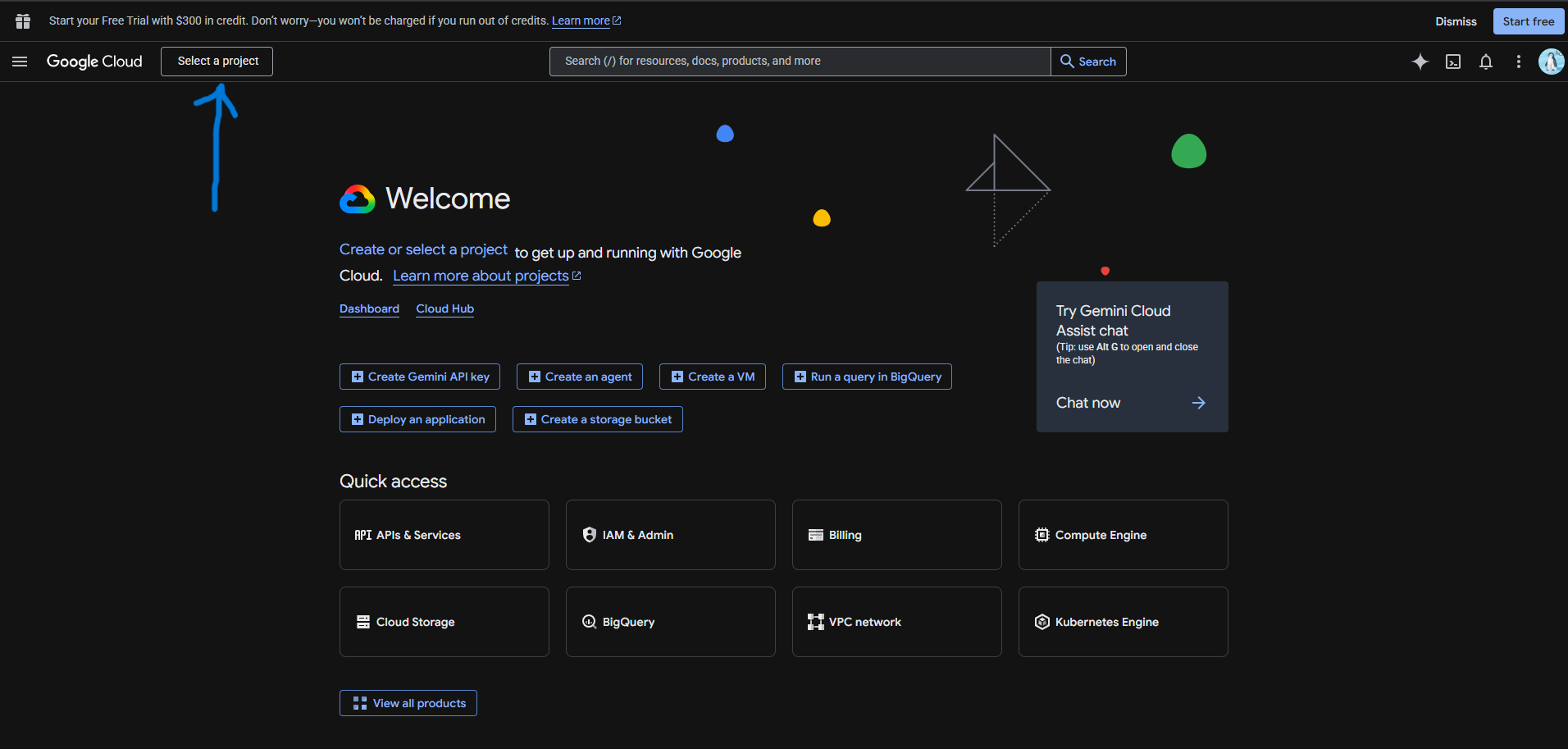
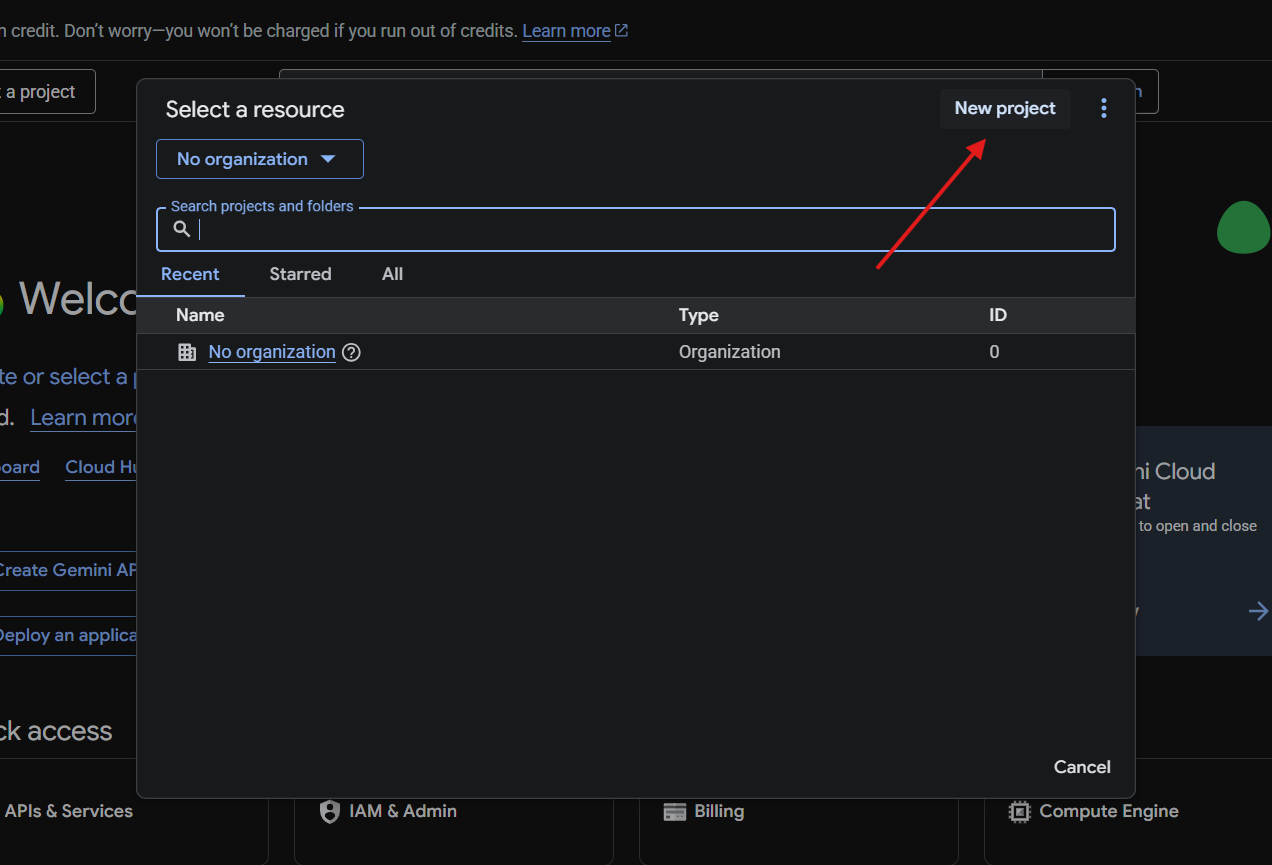
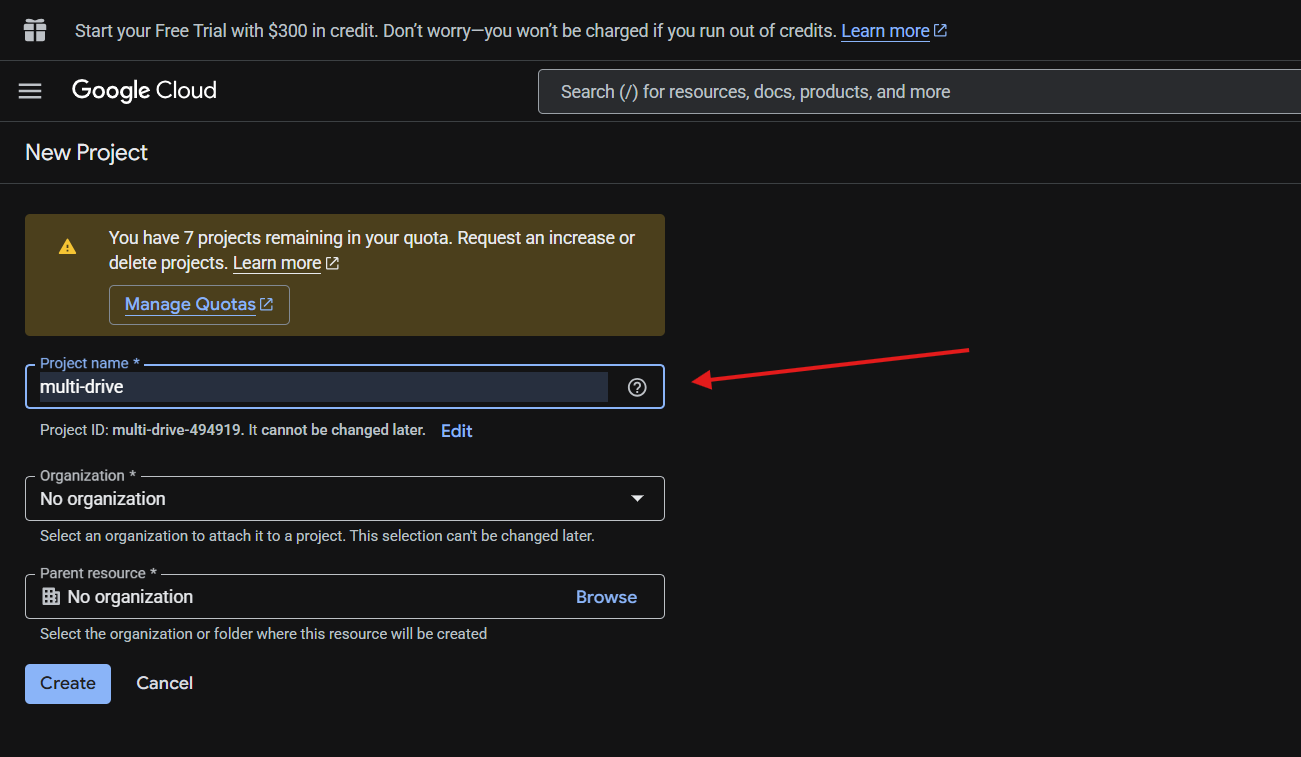
https://console.cloud.google.com - Select a project from the top dropdown, or create a new one
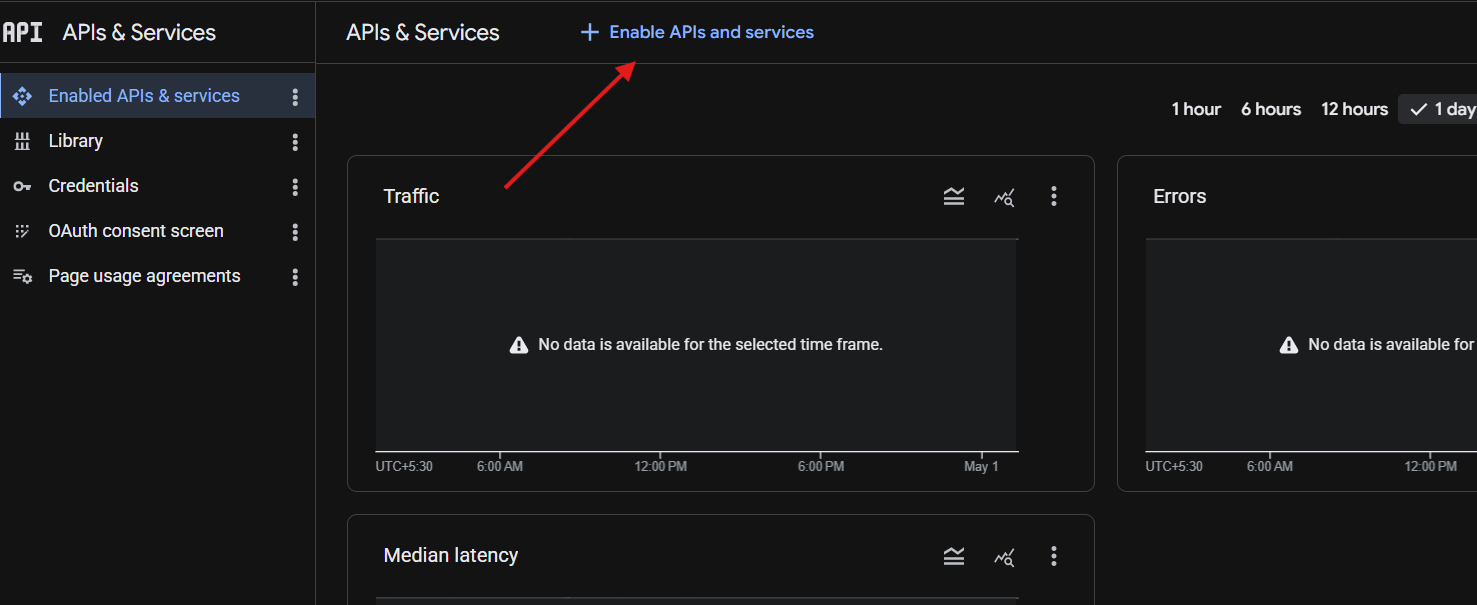
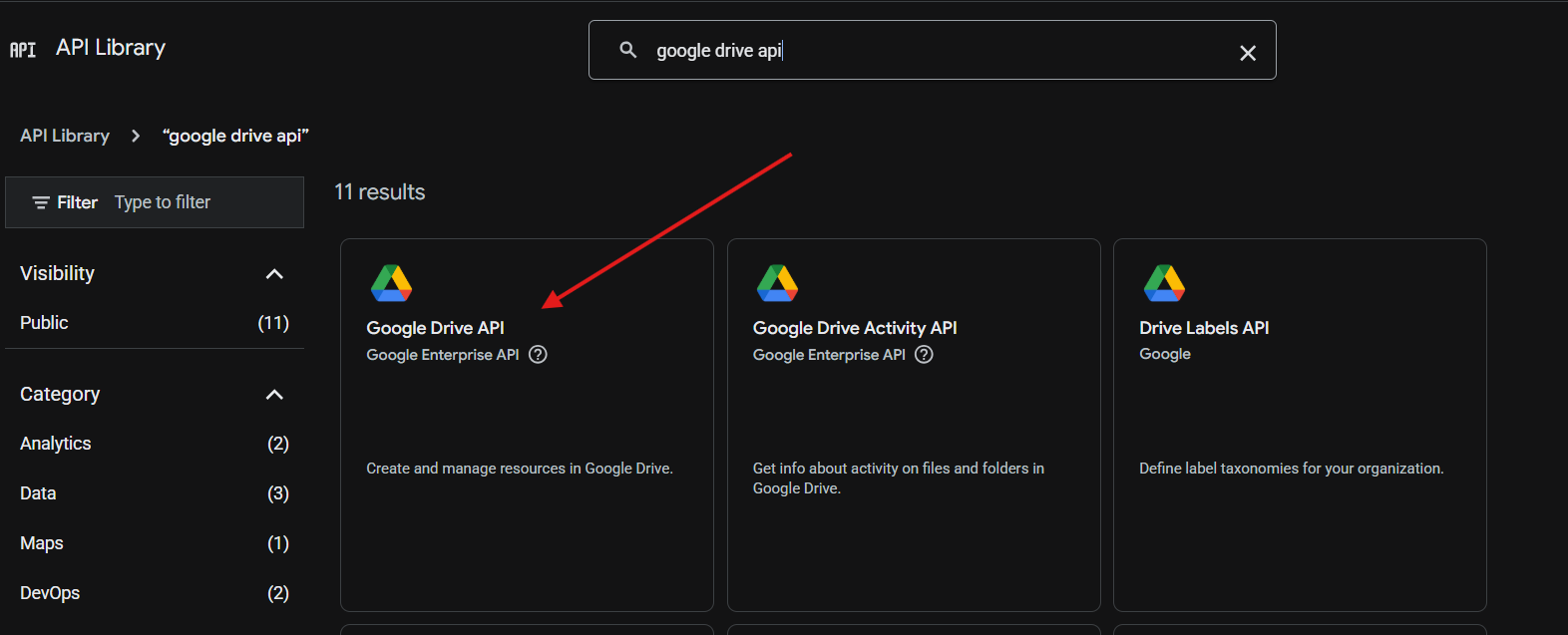
2) Enable Google Drive API
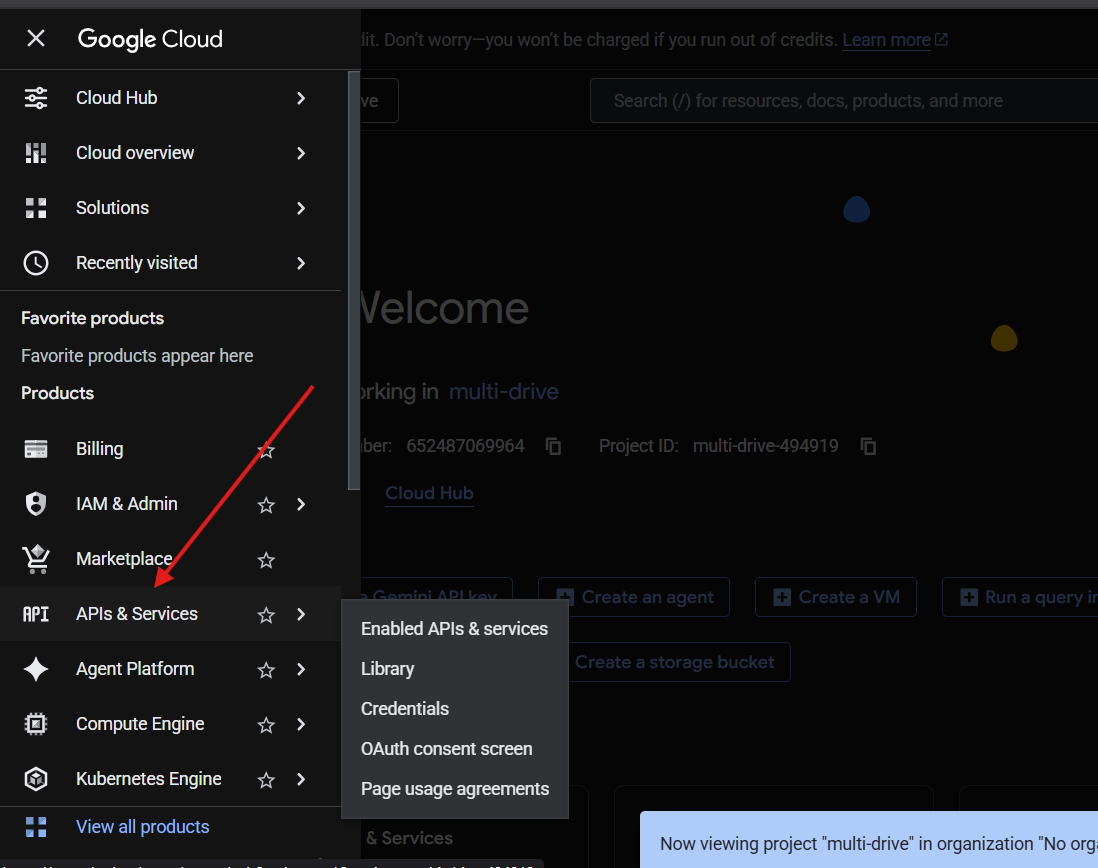
- Go to
APIs & Services > Library - Search for
Google Drive API - Click
Enable
3) Configure OAuth consent screen (Testing mode)
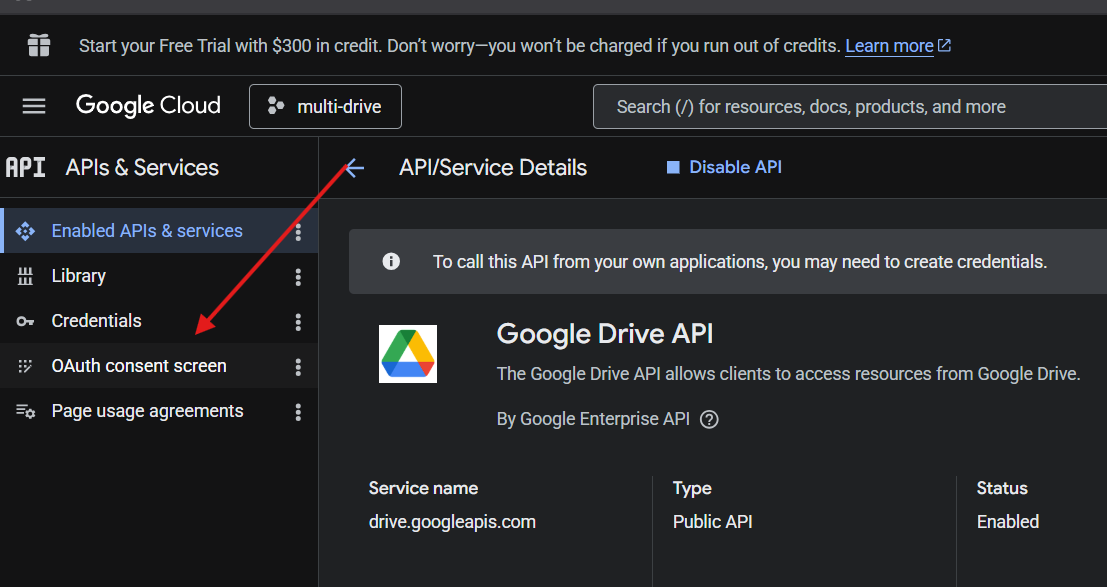
- Open
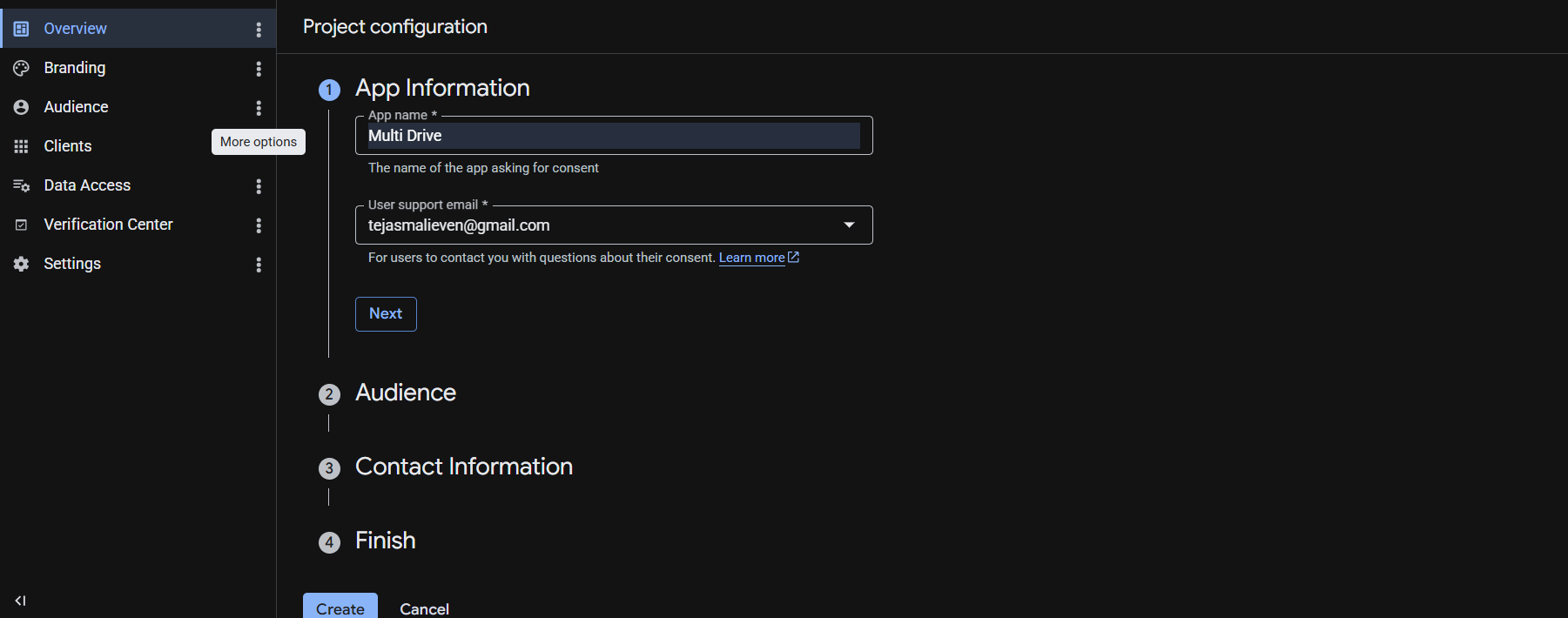
APIs & Services > OAuth consent screen - Choose
External - Fill app info and save
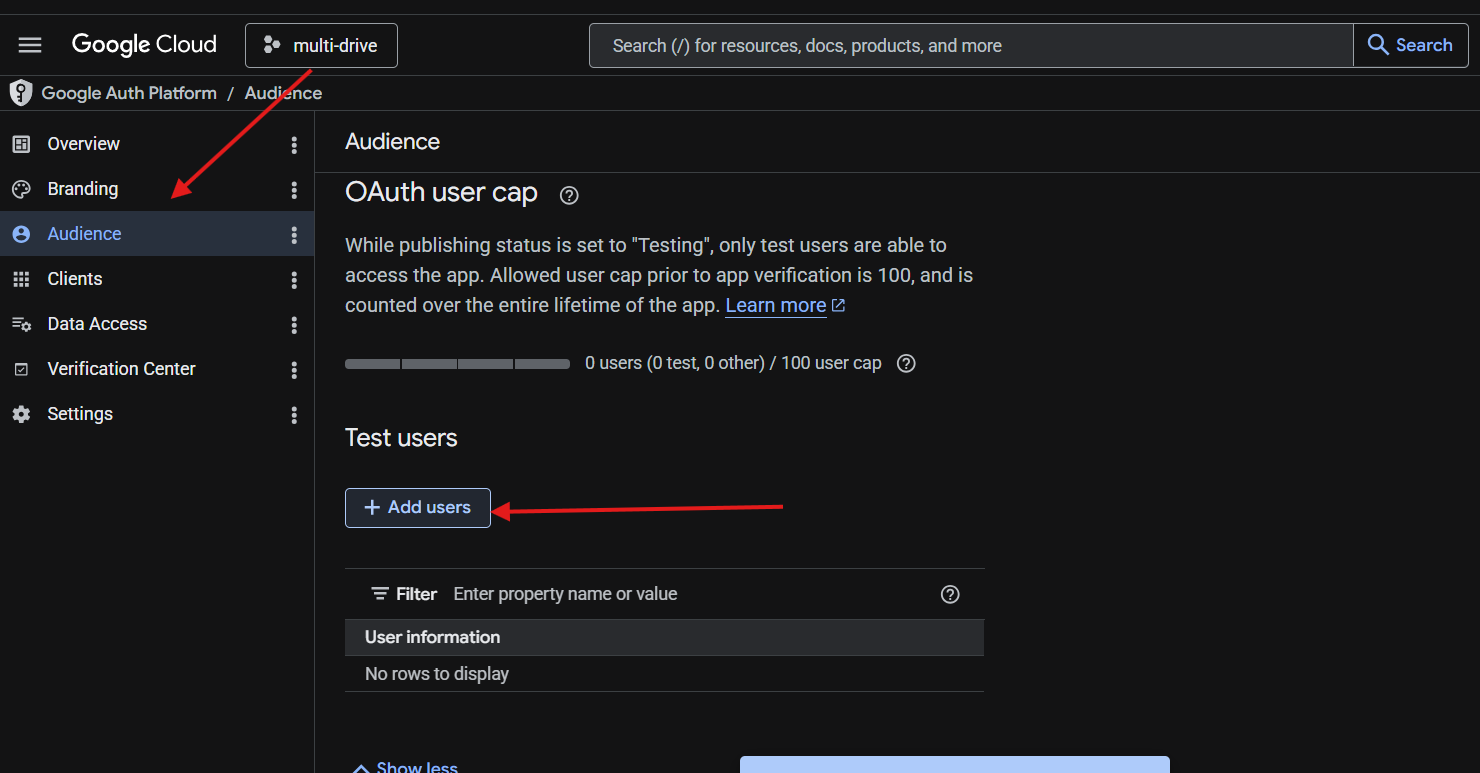
- Add all required Google accounts in
Test users
If a Google account is not added to Test Users, sign-in can fail.
4) Create OAuth Client ID credentials
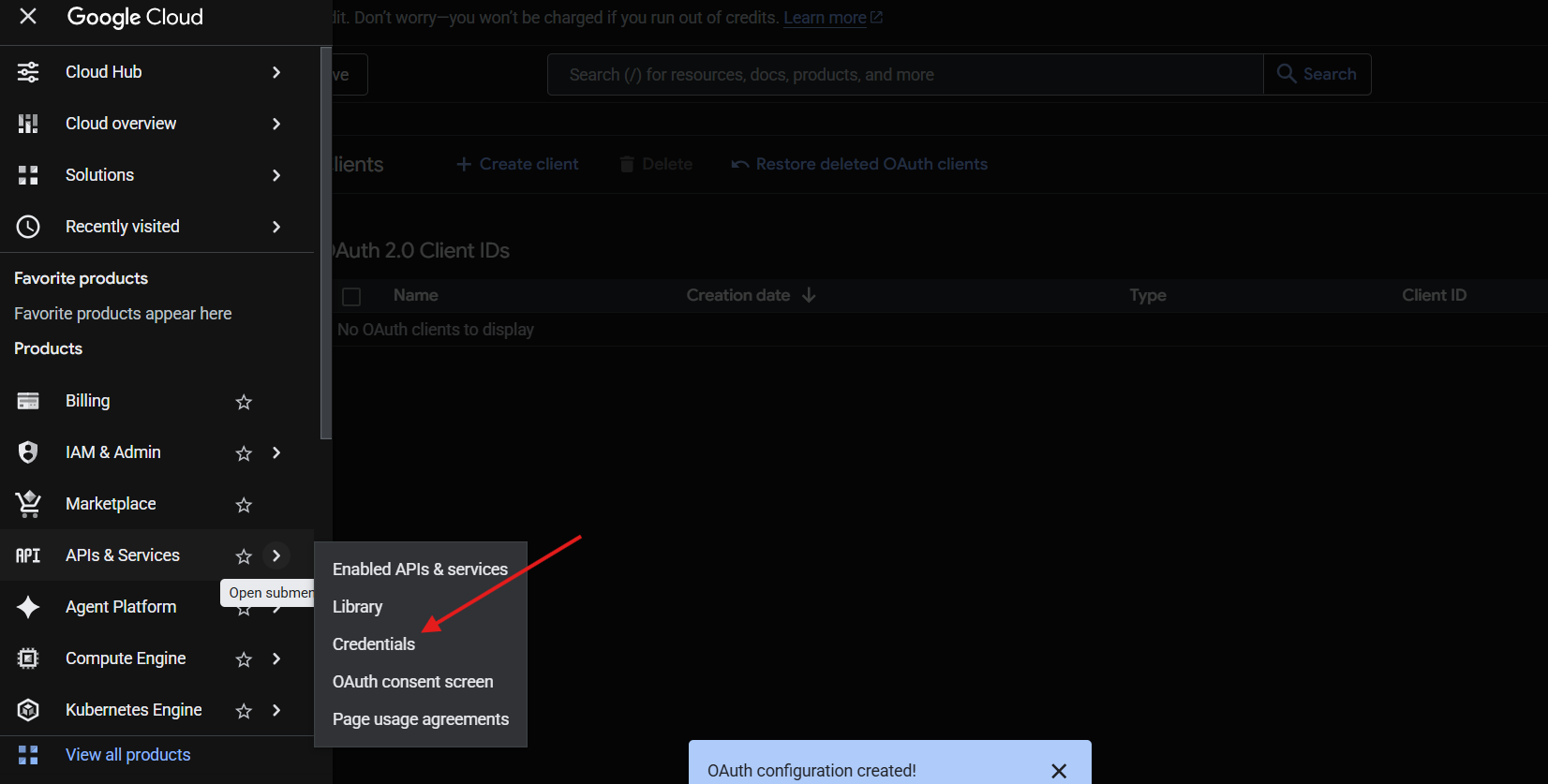
- Go to
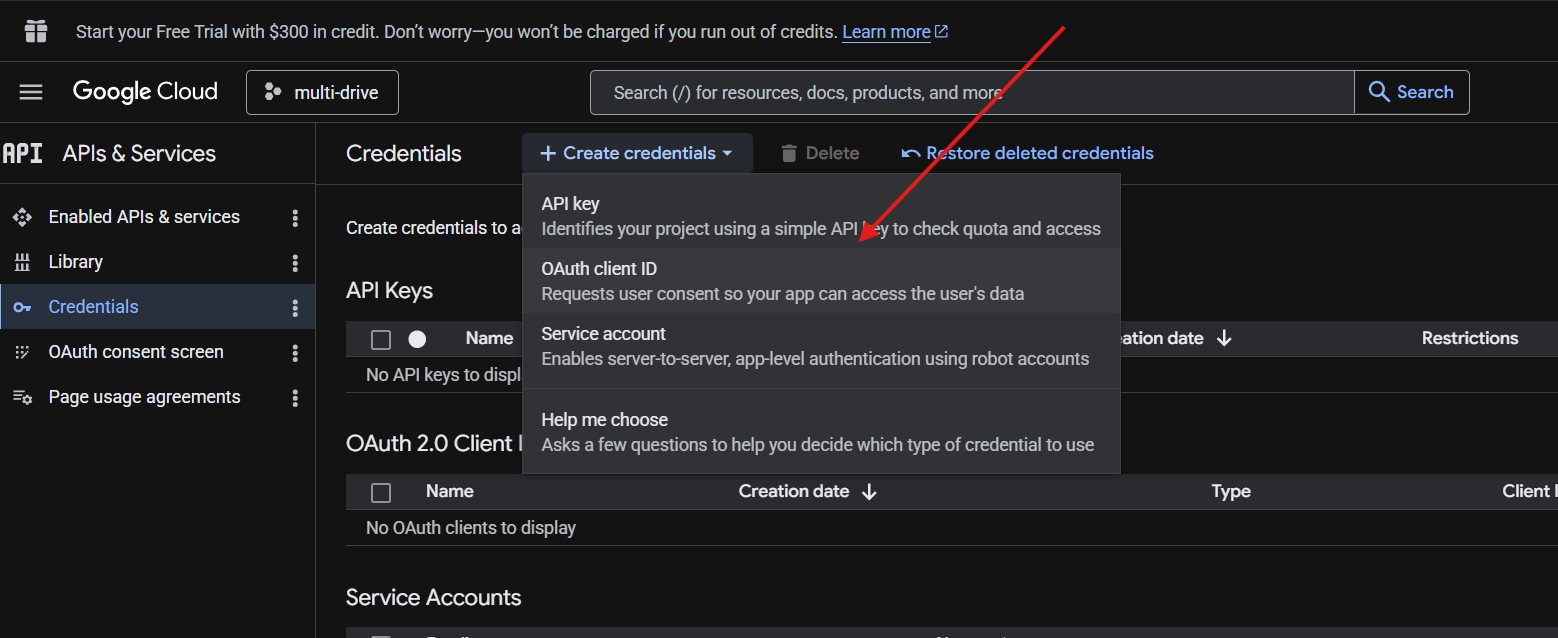
APIs & Services > Credentials - Click
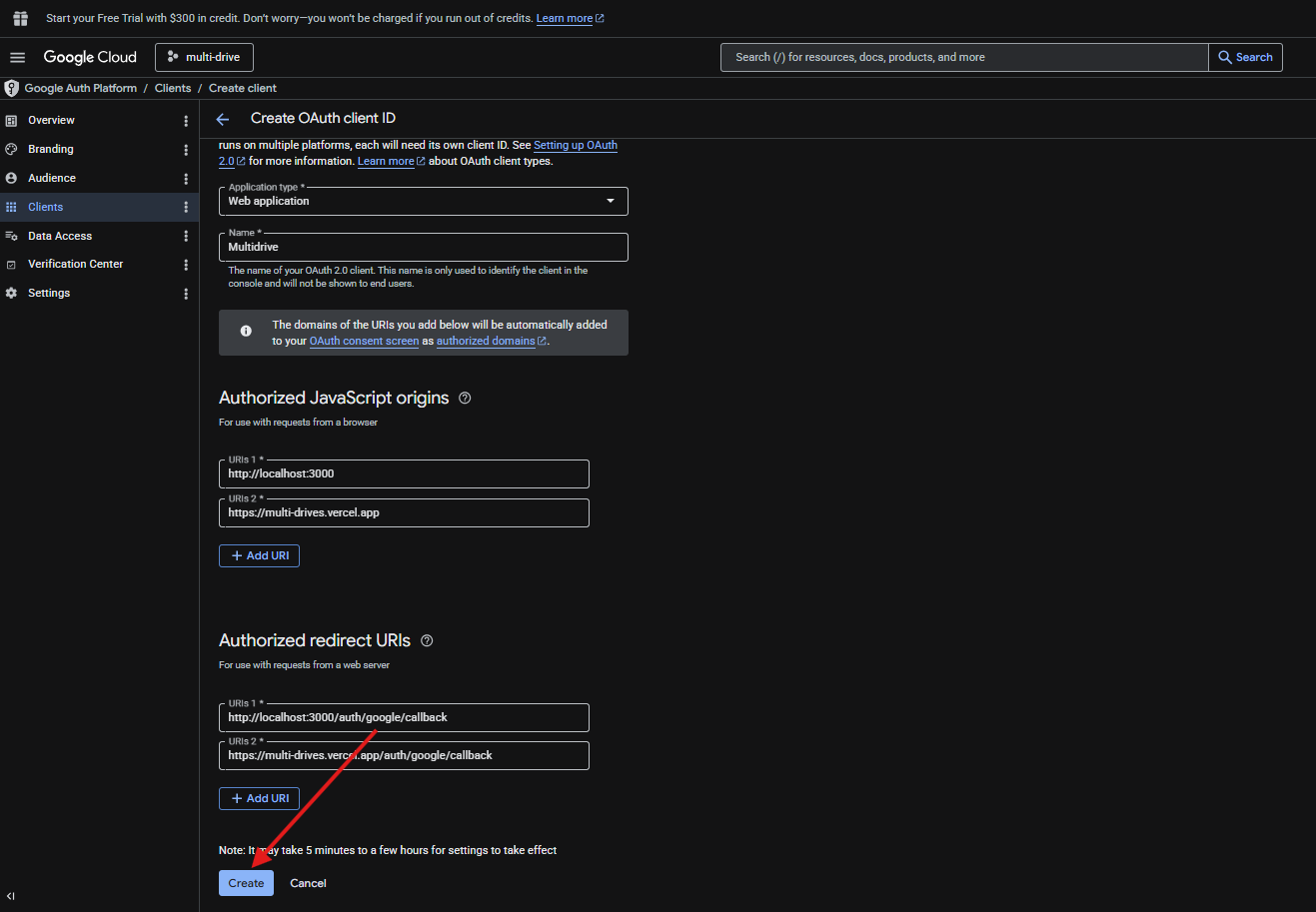
Create Credentials > OAuth client ID - Application type:
Web application -
Authorized JavaScript origins:
http://localhost:3000https://multi-drives.vercel.app
-
Authorized redirect URIs:
http://localhost:3000/auth/google/callback-
https://multi-drives.vercel.app/auth/google/callback
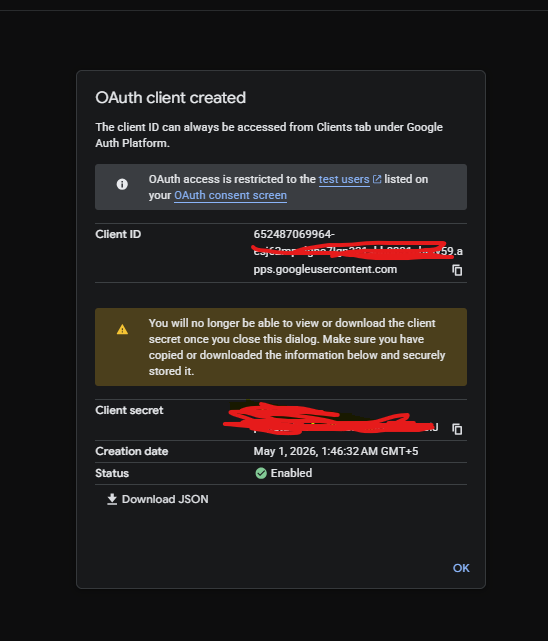
- Copy your
Client IDandClient Secret
5) Add credentials in Multi Drive
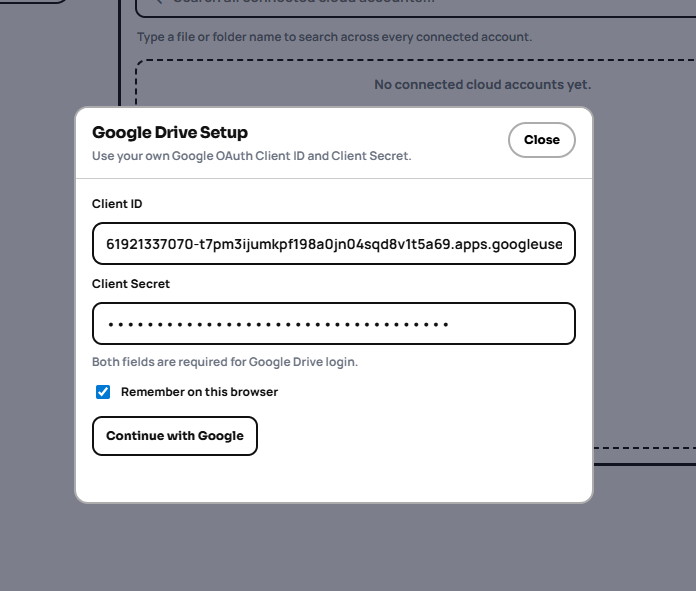
- Open home page
- Click
Add Accountand choose Google - Paste Client ID and Client Secret
- Continue sign-in and grant permissions
Quick troubleshooting
- Redirect URI must match exactly (no extra slash/typo)
- Account must be added in OAuth test users
- Drive API must be enabled in the same project